
Listing a car on YourCar takes about as long as writing a Facebook post, and it ends up somewhere buyers can actually find it: filed under its make, model, year and price, in front of people searching for exactly that, and sent straight to anyone with a matching saved search.
It is free for private sellers. Here is every step, what each one is for, and how to get a car seen and sold.
- To list, for private sellers
- Free
- Make, model and spec filled in from your registration
- 1 plate
- From plate to submitted, with photos ready
- ~10 min
The whole thing, start to finish

1. Type your registration
Start on Sell your car and type your plate. We look the car up and show you what we found: make, model, year, engine, fuel and gearbox. If something the record does not hold is missing, like the body type, we ask. If we found the wrong car, say so and fix it.
You do not need an account for this part.
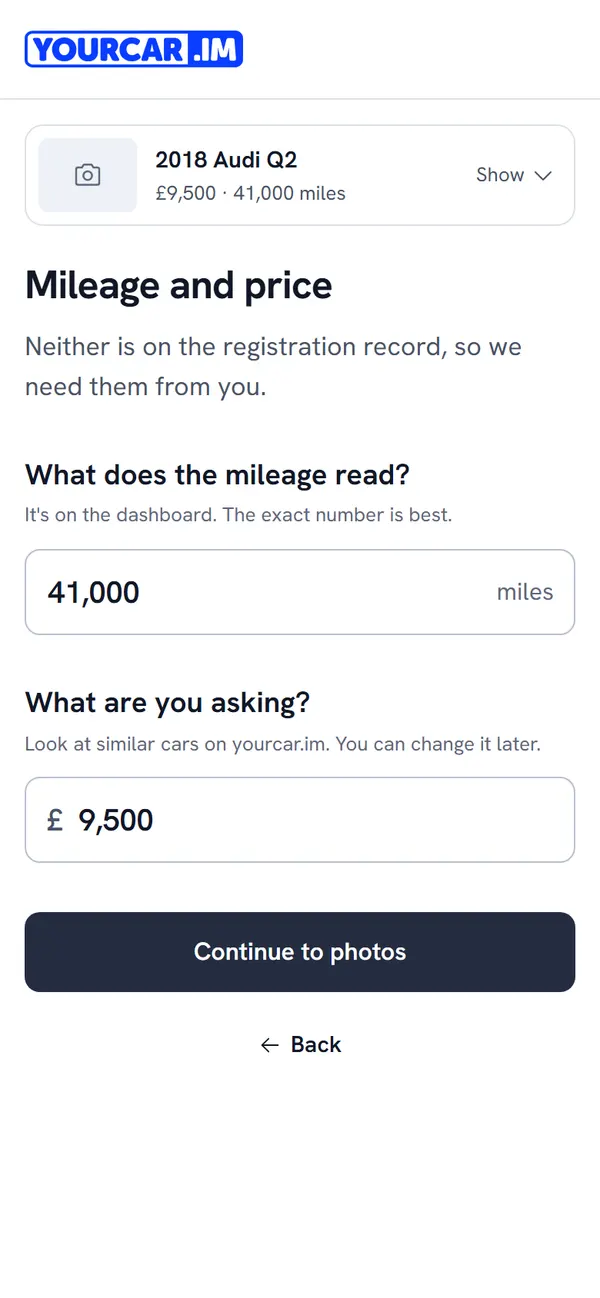
2. Mileage and price
Enter the mileage and your asking price. Neither is on the registration record, so we need them from you, and you can change the price later. Before you settle on one, search for cars like yours and see what they are listed at on the Island.
Price it to sell, not to negotiate. Buyers filter by price. A car listed £500 above where it should be does not get haggled down. It gets scrolled past.
3. Photos
Every listing needs at least one photo, and a full set gets noticeably more enquiries. Shoot in daylight, with the car clean, from the same height all the way round:
- front three-quarter, both sides, rear three-quarter
- the dashboard with the engine running (no warning lights, mileage visible)
- front seats, rear seats, boot
- each wheel, and the tyre tread
- any damage, close up. Buyers trust sellers who show the flaws.
4. History and condition
Service history, how many owners, how many keys, and any damage or faults you know of. These are the questions every buyer asks first. Answer them here and you will not have to answer them in ten separate messages.
5. Inspections
Choose whether buyers can book an independent inspection of your car. The buyer pays, the garage arranges a time with you, and the report goes to the buyer. Saying yes tells buyers you have nothing to hide, and it brings out the serious ones.
6. Description
Write it like you would describe it to someone on the phone: why you are selling, what it has been used for, what has been done to it recently, and anything a buyer should know. Short and honest beats long and glossy.
7. Check and submit
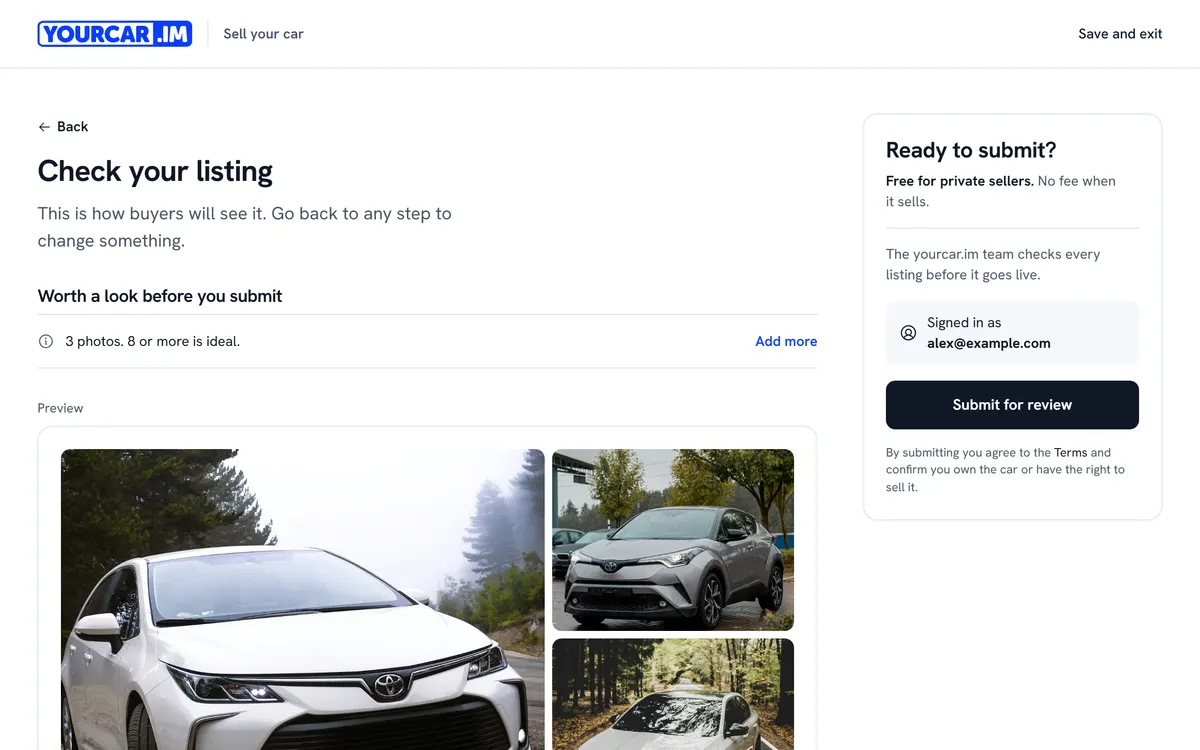
You see the listing exactly as buyers will. Go back to any step to change something, then submit. If you are not signed in yet, this is where you create an account.
What happens after you submit
The YourCar team checks every listing before it goes live. That is usually quick, and we email you when yours is live, or if we need anything from you.
Once it is live:
- It appears in Island search results, under its make, model and price.
- Buyers with a saved search that matches it are told about it.
- Buyers message you through YourCar. Your phone number and email stay private until you choose to share them.
- You can edit the price, photos and description at any time from My listings, and mark it sold when it goes.
Tips that sell cars faster
- Price against the Island, not a mainland website. Look at what similar cars are listed at here first.
- Twelve photos, not three. The first photo is the one in search results, so make it the front three-quarter, in daylight.
- Answer messages the same day. A buyer who hears nothing for two days has bought something else.
- Say yes to inspections. It costs you nothing and it reassures the buyers worth having.
- Be specific. "Cambelt done at 60k, receipt in the folder" sells. "Great little runner" does not.
Selling to a dealer instead?
If you are buying another car from a dealer on YourCar, many will take yours in part-exchange. You can ask for a part-exchange offer from the car's page, and the dealer answers in your Messages.
Ready? List your car. It is free.